
Listening to Audiobooks (iOS)
For listening to audiobooks, I recommend using a different app called Prologue instead of the Plex app. The Plex app is great, but it was not made to play audiobooks. As a result, it will not keep track of your progress or allow you to change playback speed. Prologue is free and has lots of cool features to make the experience better. Follow the steps below to get started.
Setting up Prologue
1. Download the Prologue app from the iOS App Store: https://apps.apple.com/us/app/prologue/id1459223267
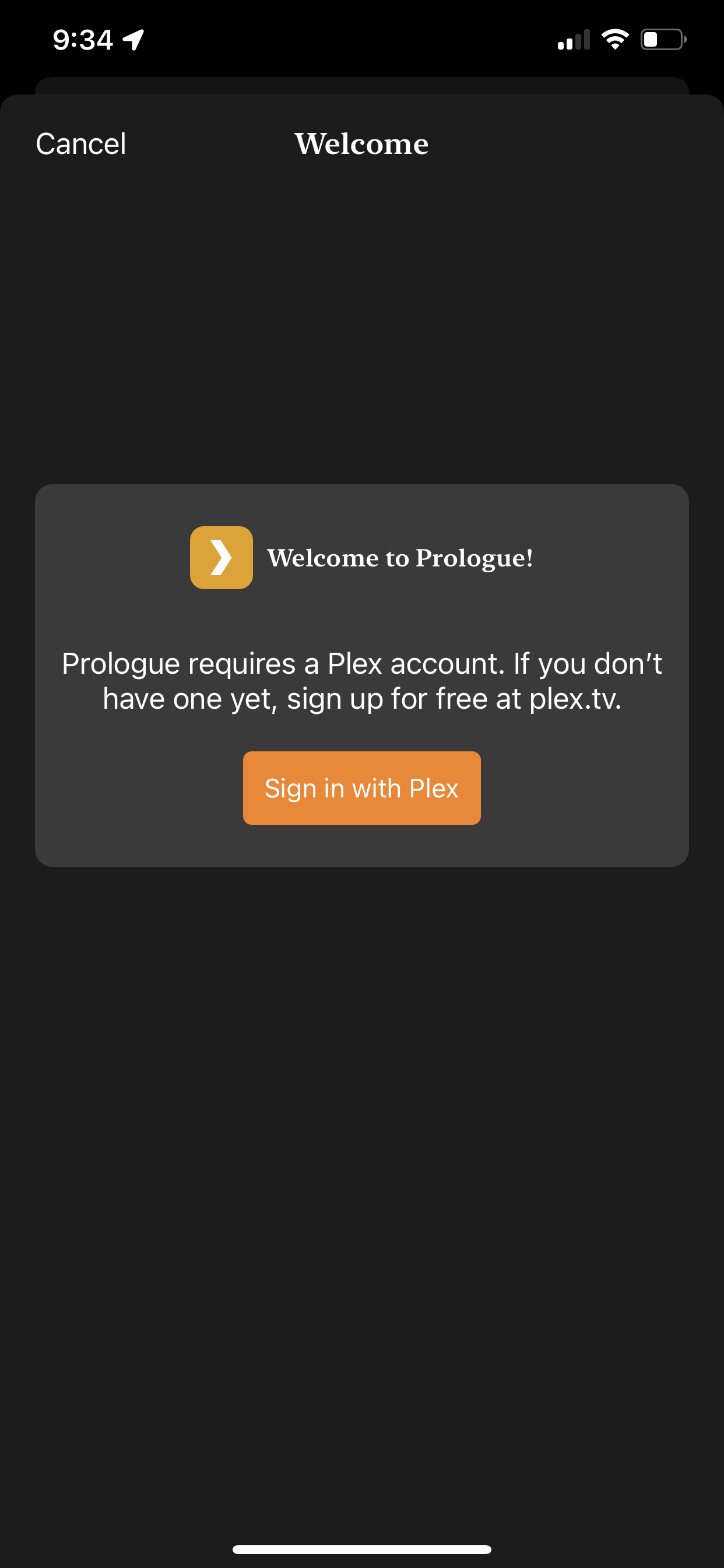
2. Once installed, launch the app and select "Sign in with Plex"
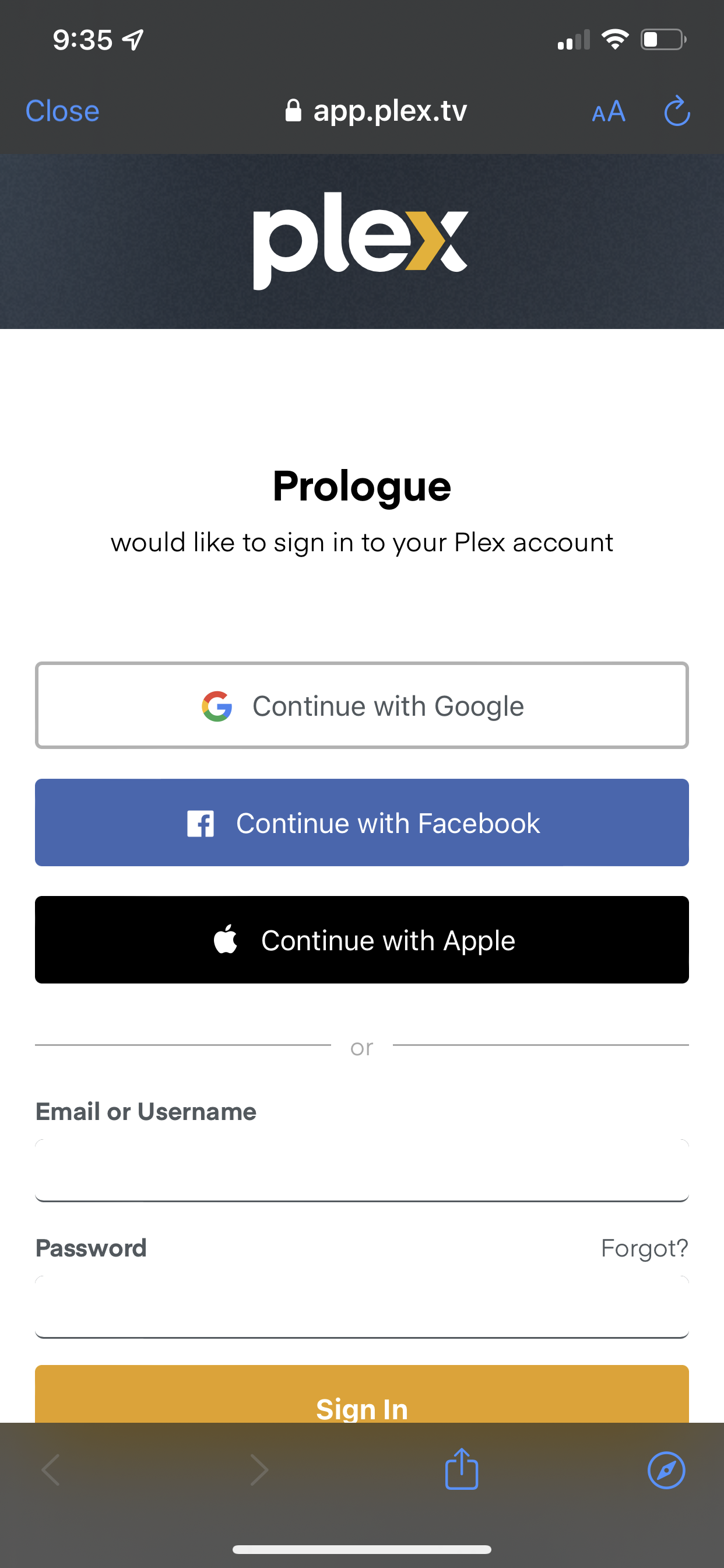
3. Next, sign into your Plex account
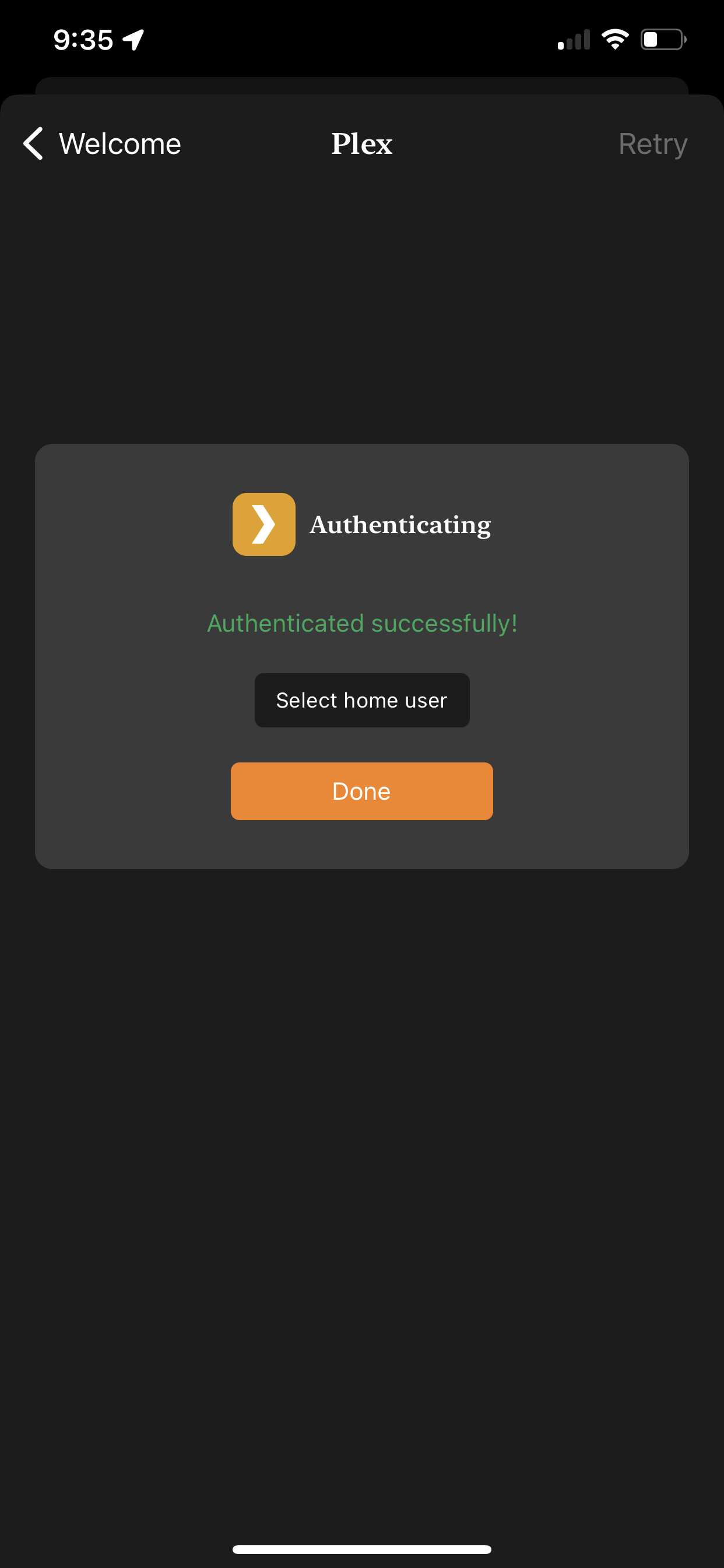
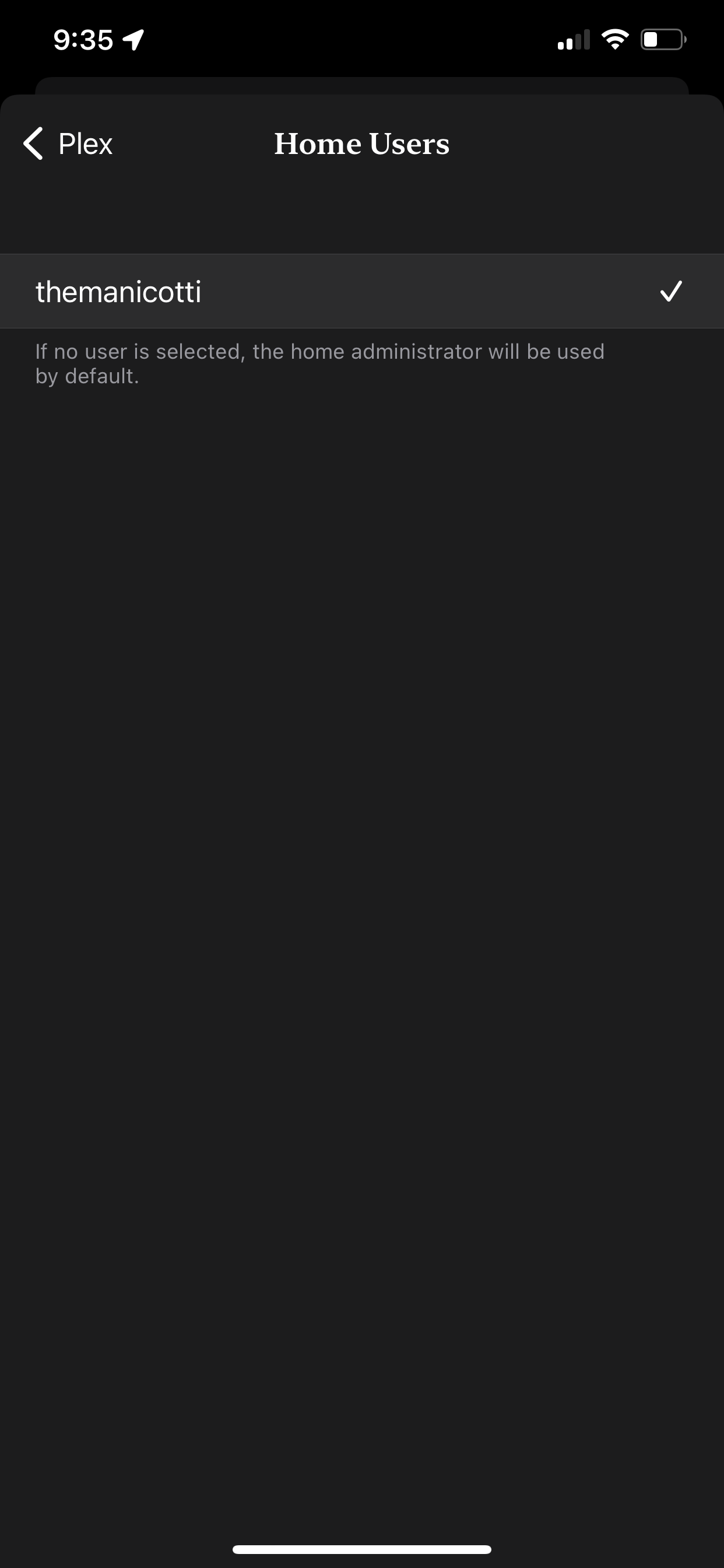
4. Once signed in, choose "select home user" and select the user profile that you'd like to use, then go back and select "Done"
5. That's it! You can now listen to any of the audiobooks on Plex.
No Comments